
Current rabbit hole. Utilizing TouchDesign (my new favorite software interface) and bending it to my will via ChatGPT. Or at least getting there faster while forcing AI to teach me along the way. Ok. I do ask nicely. Or as nicely as I can. (Note: I realize I am contributing to the machine that contradicts my values. I’m choosing to work within this/these compromised systems to push towards something better. I have hope others are also working on better. Same reason I still live in the South.)
The Idea
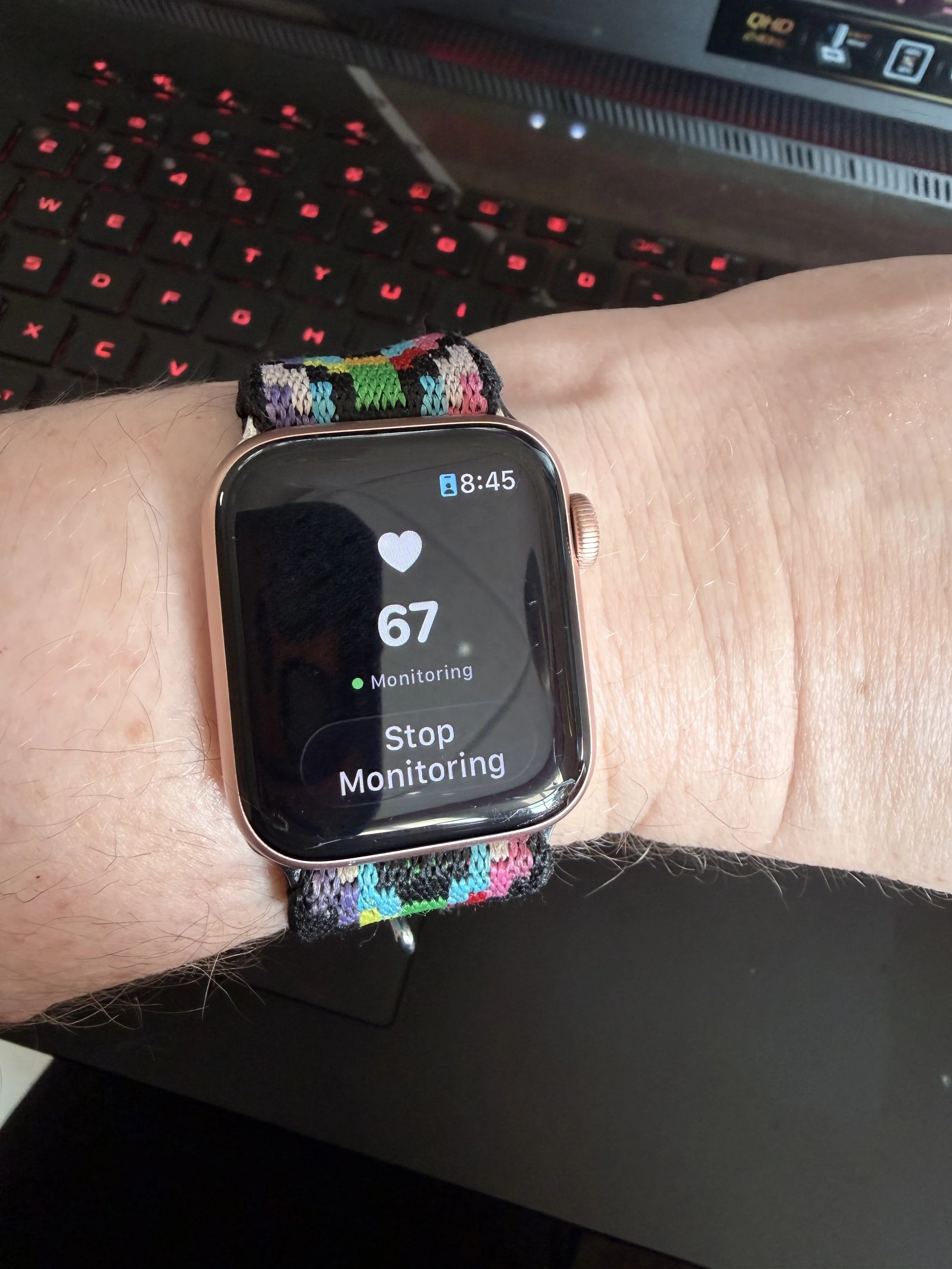
Watch synced to iPhone - > TouchDesigner
Most interactive systems respond to what you do, like a gesture, a click, a deliberate movement. I've been thinking about what happens when a system responds to what you are…specifically, the involuntary rhythms your body produces whether you're paying attention or not.
Heart rate is a good starting point. It's legible, it's personal, and thanks to the Apple Watch being essentially a medical device people wear to track their steps, it's surprisingly accessible data. (I’m also thinking of using DIY Arduino Uno and pulse reader device for having more people inputing into this system.)
What I Used
Apple Watch (the sensor)
iPhone + PulseOSC ($2 on the App Store )
TouchDesigner 2025 (free non-commercial license)
A WiFi hotspot, for reasons I'll get to
The Pipeline
PulseOSC bridges Apple's HealthKit (which reads from the watch) and broadcasts the data over OSC (Open Sound Control), a protocol that's been in place since 1997. TouchDesigner listens for it on the other end.
Simple in theory. Mildly annoying in implementation.
What Actually Happened
The first thing I learned is that university WiFi doesn't want your iPhone talking to your laptop. Institutional networks often block device-to-device communication (a fact I discovered after staring at an empty OSC In CHOP for longer than I'd like to admit.)
Fix: iPhone Personal Hotspot. Connect your laptop to it, bypass the whole problem.
The second thing I learned is that PulseOSC sends several data channels simultaneously, only one of which is what you actually want. This is where AI comes in handy.
| Channel | What it is |
|---|---|
| avatar/parameters/HR | Live BPM — this is the one |
| avatar/parameters/HRF | Normalized (0 to 1) — useful for direct mapping |
| avatar/parameters/isHRActive | Whether the sensor is active |
Getting that isolated in TouchDesigner takes about three nodes: an OSC In CHOP to receive the data, a Select CHOP to pull just the HR channel and rename it something sensible, and a Text TOP if you want to see the number on screen and confirm the number is the same that’s on your watch & iPhone.
When it worked, it read 67 BPM. Which is, in fact, my resting heart rate.
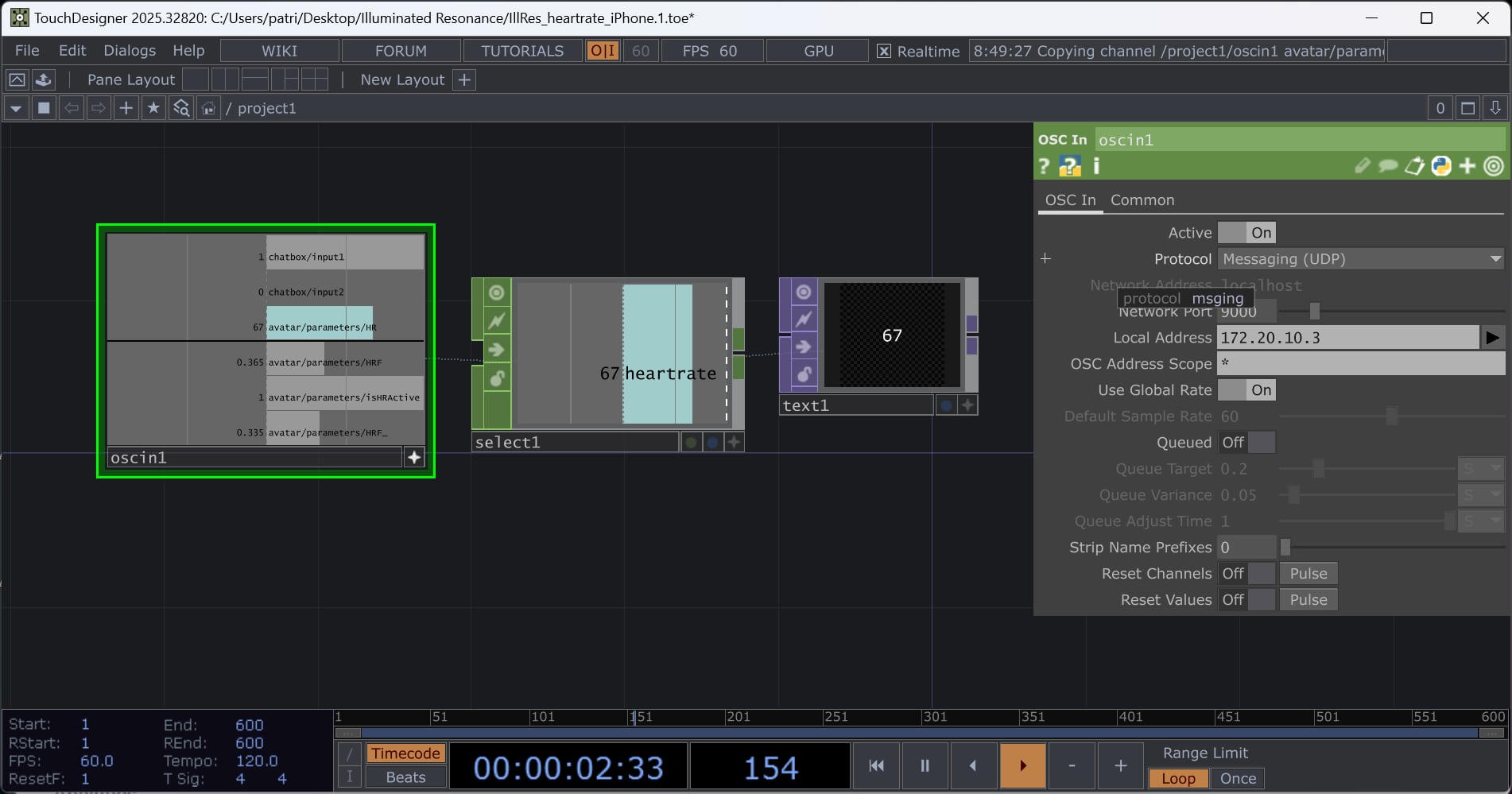
Before wiring the heart rate into anything visual, I am wanting to wrap the whole input pipeline into a single TouchDesigner component (a clean channel labeled heartrate). I have not gotten this to work for me yet. As someone who has Adobe hotkeys ingrained in my membrane, selecting groups and applying grouping into a container….what you would think would be simple…is not.
What This Is Actually For
The number by itself isn't interesting. (Or maybe it needs to be.) What's interesting is what happens when you wire it to something (maybe when a parameter that normally requires deliberate input is now driven by something you can't fully control).
That's the research question I'm sitting with: what does voluntary involuntary authorship feel like, from both sides of the screen?
More on that as the work develops.
If You Want to Try It
You need: Apple Watch, iPhone, TouchDesigner (free), PulseOSC ($2)
The short version:
Install PulseOSC, point it at your computer's IP, set port 9000
Use iPhone hotspot if you're on institutional WiFi
In TD: OSC In CHOP (port 9000) → Select CHOP (
avatar/parameters/HR, rename toheartrate) → wherever you want to go from there
The longer version exists, in exhaustive technical detail, for my own records. DM me if you want the specifics.
This is part of an ongoing research practice in live-input-driven interactive design. More soon.